
Edit your GeneXus Forms visually, without opening the IDE
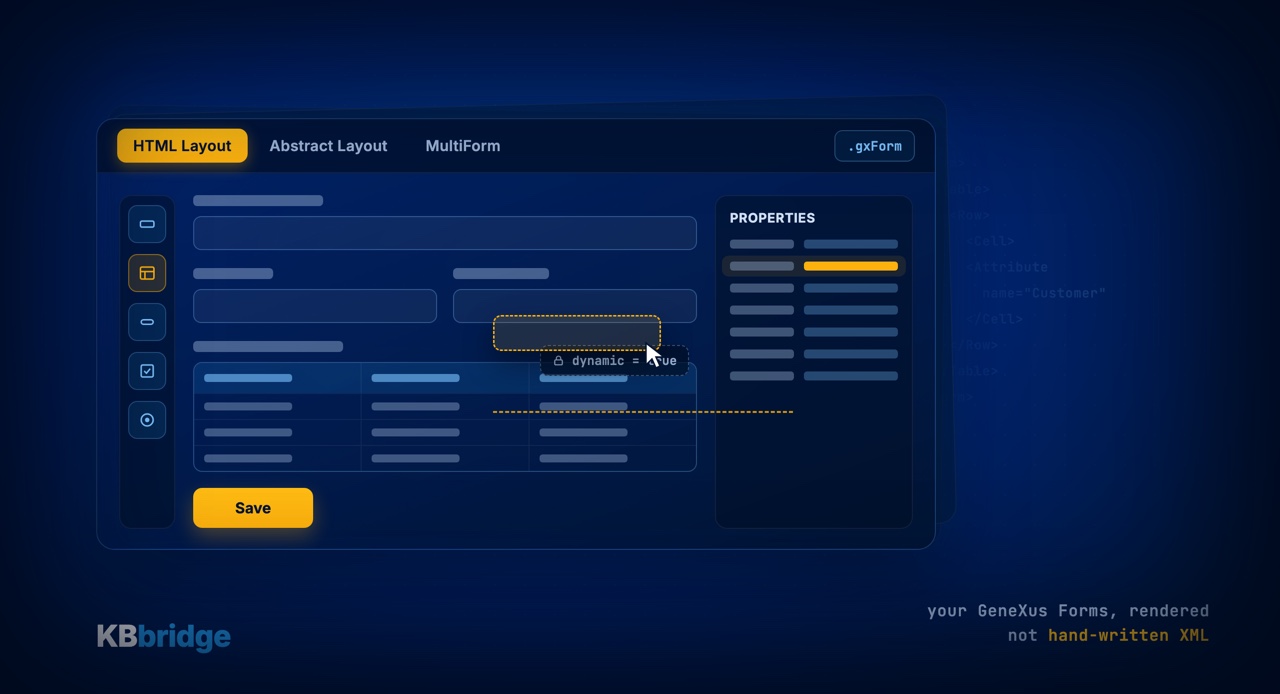
One of the most requested features is now in KB Editor: a Visual Form Editor that renders your GeneXus forms visually, supporting the three formats the platform uses: HTML Layout, Abstract Layout and MultiForm.
Until now, editing a Form outside the GeneXus IDE meant wrestling with XML by hand. The Visual Form Editor puts an end to that: you work on the .gxForm files externalized by KB Sync, with a view that understands GeneXus' native structure.
What you can do
- Drag controls from the Toolbox straight onto the Form canvas.
- Insert User Controls and Free Style Grids as first-class citizens.
- Edit properties in a dedicated panel, with values adapted to the GeneXus version active in your KB.
- Work with MultiForm: tabs per Form, add areas and container regions.
Why it matters
The Form is saved in the exact format GeneXus expects, so when KB Sync re-internalizes it, the IDE accepts it without surprises. Forms maintained by a Pattern (marked dynamic="true") are protected from manual edits, just like the dynamic sections of code.
KBbridge's goal is simple: let you develop GeneXus with a modern workflow —a professional editor, AI, version control— without losing IDE compatibility.
Want to see it in action? Watch the short videos on Getting Started.