
KBbridge A.I: a free local GeneXus model
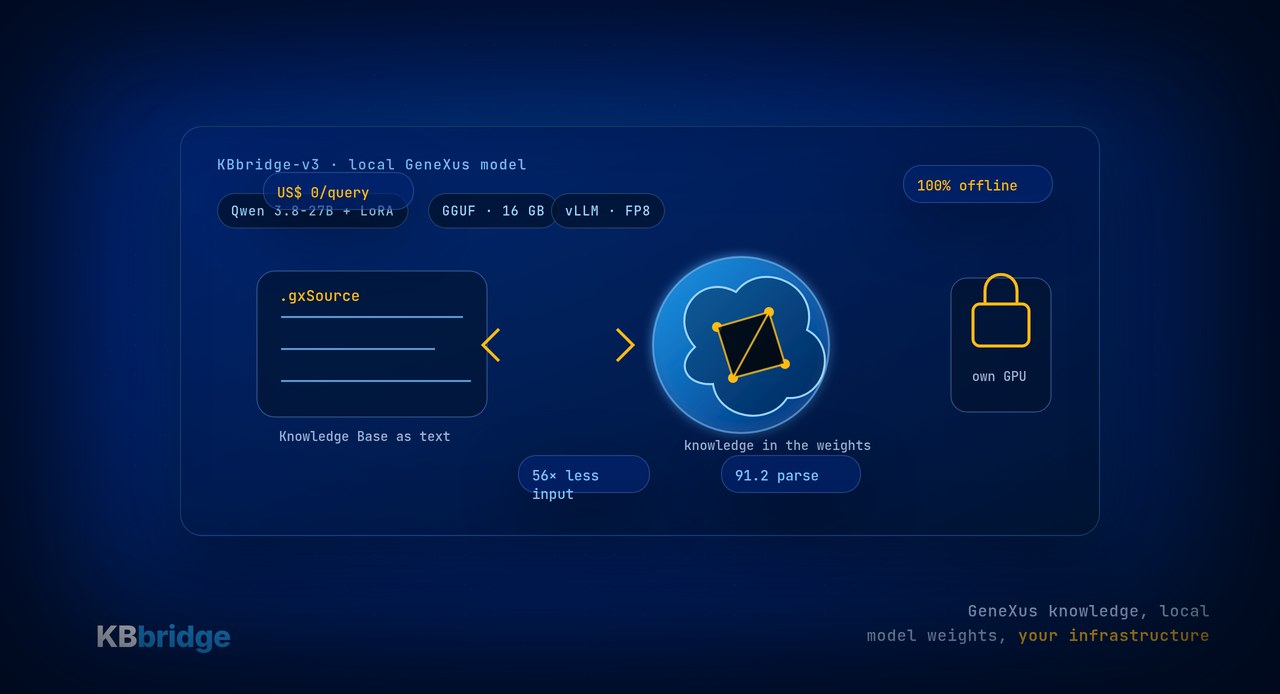
Today we published KBbridge A.I: our own language model specialized in GeneXus, free for teams and developers who want to install it locally.
This is not a generic chatbot with a long prompt. It is KBbridge-v3, based on Qwen 3.8-27B and fine-tuned with LoRA over real GeneXus Knowledge Bases. The important difference is simple: the knowledge required to write the .gxSource format lives in the model weights, not in 21,600 tokens of instructions repeated on every request.
That changes cost, privacy, and the way an AI coding workflow behaves.
Why we built our own model
To make a frontier model write GeneXus reasonably well, you have to give it context on every call: the skills KB Sync publishes into the working folder to explain the interchange format.
Those skills are useful. They let Claude, GPT, Gemini, Copilot, Cursor, or any other agent understand how to read and write the files KB Sync synchronizes with the Knowledge Base.
But they carry a structural cost: they consume context, add latency, and get paid for again and again. In our tests, the “frontier model + skills in context” approach used about 11 million input tokens for a 520-object workload. KBbridge-v3 handled the same kind of work with about 0.2 million.
If the model has already learned the format, you do not need to teach it again on every call.
What we published
We published the model on Hugging Face in two usage families:
- vLLM, for teams serving it from a GPU server.
- GGUF, for running it on your own machine with tools like LM Studio, Ollama, or llama.cpp.
The GGUF Q4_K_M build is 16 GB and is the natural local starting point. Q8_0 is 28 GB for higher fidelity when you have the VRAM. For production serving, KBBridge-v3-FP8 is 29 GB; the full BF16 model is 51 GB.
The idea is intentionally plain: download it, run it where you want, and connect it to the workflow you already use.
The point is not only that it is free
A US$ 0 cost per query matters. If you have your own GPU, or one that is already amortized, the team is not paying tokens every time it asks the model for help.
But the deeper point is privacy: your KB code does not have to leave your infrastructure.
With an external model, every request sends context to an API. For many teams that is fine. For others — banking, healthcare, government, GMP, regulated environments — it can be a real blocker. With KBbridge-v3 installed locally, the model runs inside your network. Your KB, prompts, and results stay on your side.
KBbridge has always been provider-agnostic: use Claude, GPT, Gemini, Copilot, Cursor, DeepSeek, Qwen, or whichever model your organization prefers. Publishing KBbridge A.I does not change that idea. It extends it. Now, alongside external models, you can also run a GeneXus-specialized model locally.
What the tests show
In the KBbridge A.I technical report, we compare KBbridge-v3 against frontier models with KB Sync's skills injected — their best-case scenario.
KBbridge-v3 leads on the four main quality metrics:
- valid
.gxSourcesyntax: 91.2 vs 88.0; - exact
parm()signature: 84.4 vs 53.4; - method validity;
- domain knowledge.
Exact parameter signatures matter. If the object does not drop correctly into the KB, someone has to edit it by hand. And if the goal is to let an agent work on a real Knowledge Base, “almost right” is not enough.
We also saw the expected result: when KBbridge-v3 is given the skills in context, it gets worse. Not because the skills are wrong, but because it already knows them. For a generalist model they are essential; for a specialized model they are dead weight.
How it fits with KB Sync and KB Editor
KBbridge A.I does not replace the KBbridge workflow. It complements it.
KB Sync remains the bidirectional bridge: it externalizes the Knowledge Base to text, keeps the synchronization loop running, and validates before writing back. KB Editor remains the environment where the agent has syntax, navigation, local documentation through MCP, and real GeneXus rules.
The model adds another layer: a local, zero-per-query, GeneXus-specialized option that avoids paying the context tax on every prompt.
The workflow becomes:
- KB Sync makes your KB readable as text;
- KB Editor gives the agent context and tools;
- KBbridge-v3 can run locally and offline on your own infrastructure;
- GeneXus remains the authority that validates and generates.
The point is not to move GeneXus out of the center. It is to let the knowledge you already have work with modern AI without losing control.
Who it is for
If you are exploring AI coding on GeneXus and want to avoid token cost, try it.
If you work somewhere that cannot send source context to external APIs, try it.
If you want to compare a specialized model against the frontier model you use today, try it too. KBbridge does not force one path: you can use the provider you prefer and, when it makes sense, run your own model.
Sources
- KBbridge — KBbridge A.I technical report: kbbridge.com/kbbridge-ai
- Hugging Face — KBBridge published models: huggingface.co/KBBridge
- Hugging Face — Qwen 3.8-27B base: huggingface.co/Qwen/Qwen3.8-27B
How you try it
Read the report and download the model on KBbridge A.I. To see how it fits with a GeneXus Knowledge Base, start with Getting Started. KBbridge also has a 15-day free trial, no card required, at kbbridge.com.