
Your Knowledge Base, AI, and control of your data: how KBbridge works under the hood
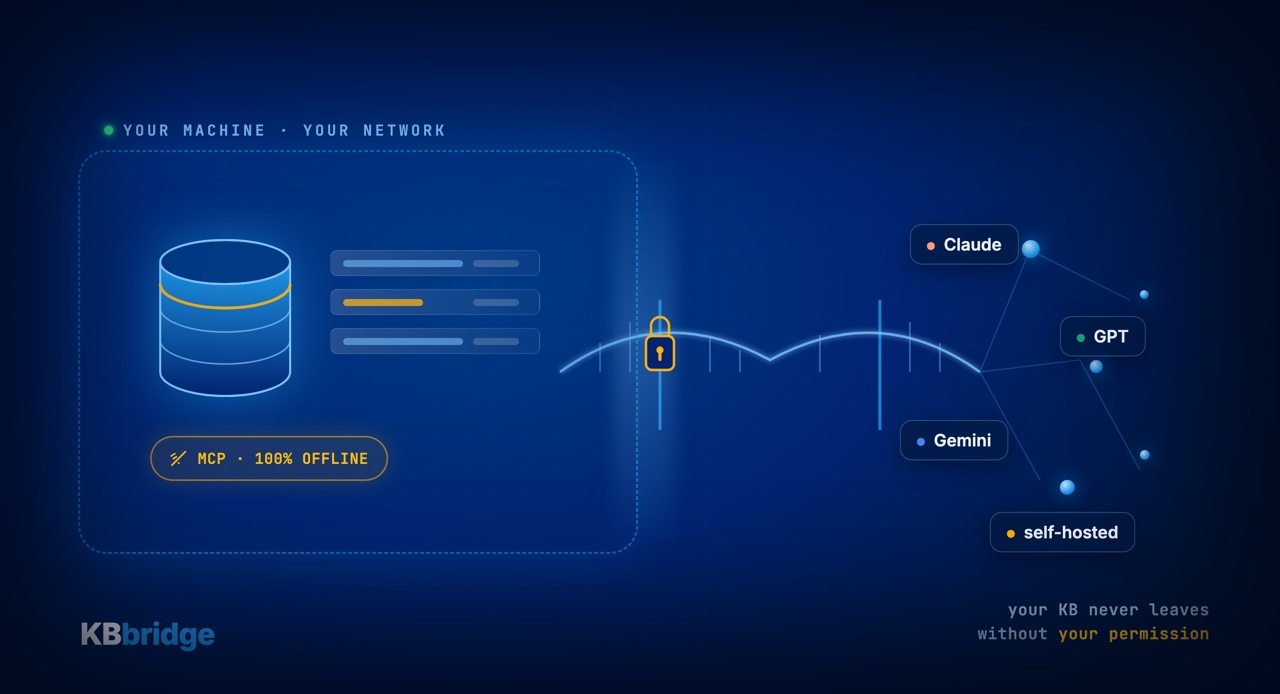
A healthy question has been going around the GeneXus community lately: when you connect your Knowledge Base to an AI tool, where does your data go? It's a good question. In fact, it's the question. Your KB is the result of years of business modeling — probably the most valuable piece of intellectual property you own. Before exposing it to anything, it's worth understanding exactly how the tool you're about to use works.
So instead of talking about features, this post is about architecture: where your KB lives when you work with KBbridge, what does (and doesn't) leave your machine, and why plain text — properly understood — gives you more control, not less.
Externalization happens on your machine
KB Sync is a Windows application that runs on your own machine, inside your network. It is not a cloud service you upload your KB to. When it externalizes your GeneXus objects to text files, those files are written to your disk, in your folder, under your version control.
There is no intermediary hosting your knowledge. There is no copy of your KB on a third party's server. The “bridge” is software you run yourself, the same way you run the GeneXus IDE: your data never changes owner or jurisdiction.
The documentation engine is 100% offline
KB Editor ships with a local MCP server holding 46,750 chunks of GeneXus documentation (versions 9 through 18) and nearly 25,000 image descriptions, indexed in an embedded vector database. Here's the important part: it runs entirely offline. No API keys. No outbound network traffic.
That means the part that gives the AI its “knowledge of GeneXus” — how a property behaves, what a method does, how a Pattern is built — never reaches out to the internet. It lives on your machine.
You choose the LLM — and therefore you choose the rules
KBbridge is AI-provider-agnostic. Once your KB is in text, any LLM that can read text can work with it: Claude, GPT, Gemini, Copilot, Cursor, or whichever one your team prefers — present or future.
This is central to security, because it means the relationship with the model is yours, direct, and on your terms:
- You can use the enterprise contract your organization already has with a provider (with zero-retention, no-training clauses), or go through AWS Bedrock / Azure OpenAI inside your own account.
- Or you can go one step further: run a self-hosted or air-gapped model — say a DeepSeek or a Qwen on your own infrastructure — against your GeneXus KB. In that scenario, nothing leaves your network. Not the code, not the KB, not the prompts.
Your data “going out to an external LLM” is not an unavoidable property of working with AI: it's a decision you make, provider by provider. KBbridge doesn't make it for you.
Plain text = more control, not less
There's a reasonable intuition that “exporting to plain text” sounds like losing control. In practice it's the opposite.
Your KB in text lives in your Git repository. That gives you, out of the box, exactly the governance guarantees anyone should ask for:
- Per-operation audit: every change is a commit, with author, date, and diff. It's the most complete log you can have.
- Role-based access control: your Git provider's RBAC (GitHub, GitLab, Azure DevOps) decides who sees and who touches what.
- Full traceability: you can review, revert, and approve changes with the same flow you already use for the rest of your code.
Plain text isn't the security hole — it's what makes your KB auditable, versionable, and reviewable for the first time.
Your KB's integrity is protected
Synchronization is bidirectional with validation. Before writing any change back to the KB, KB Sync runs a full validation pass — this is not a one-way XML dump. Forms and sections maintained by a Pattern (marked dynamic="true") are protected from manual edits. When GeneXus re-internalizes, it accepts the result without surprises.
The goal is to let you add a modern workflow — a professional editor, AI, version control — without risking the consistency of the KB your business is running on.
The questions worth asking any tool
If you're evaluating any tool that touches your KB with AI — ours or any other — these are the questions that matter, and our answers:
- Where does externalization run? → On your machine, in your network. The files stay on your disk.
- What leaves my infrastructure? → From the documentation engine, nothing (it's offline). Toward the LLM, only what you decide to send, to the provider you choose — or nothing, if you run a local model.
- Who hosts my KB? → No one but you. There is no copy on a third party's server.
- How do I audit changes? → With Git: commit by commit, with author and diff.
- Is integrity protected? → Yes: a full validation pass before every write, and dynamic patterns protected.
Why we built it this way
KBbridge was born in the community, made by GeneXus developers for GeneXus developers. We designed the architecture around a simple idea: your business knowledge is yours, and it should stay yours in the age of AI. That's why externalization is local, the docs engine is offline, and the choice of model — with everything that implies for data residency and confidentiality — always stays on your side.
Want to see it working? Watch the short videos on Getting Started, or try it free for 15 days, no card required, at kbbridge.com.